The All-in-One Photo Booth Software Modern. Interactive. Reliable.
Photo, video, boomerang, instant printing, AI filters and a cloud gallery in one app – plus photo booth games that keep your guests coming back to the camera. Set up in minutes, rock solid even offline, built in Germany.
Everything you need for a professional photo booth business, united in one software.
For your guests
For you as the operator
Your event, your font
Printing …
Trigger booth
12 photos tonight
Set up in < 1 min
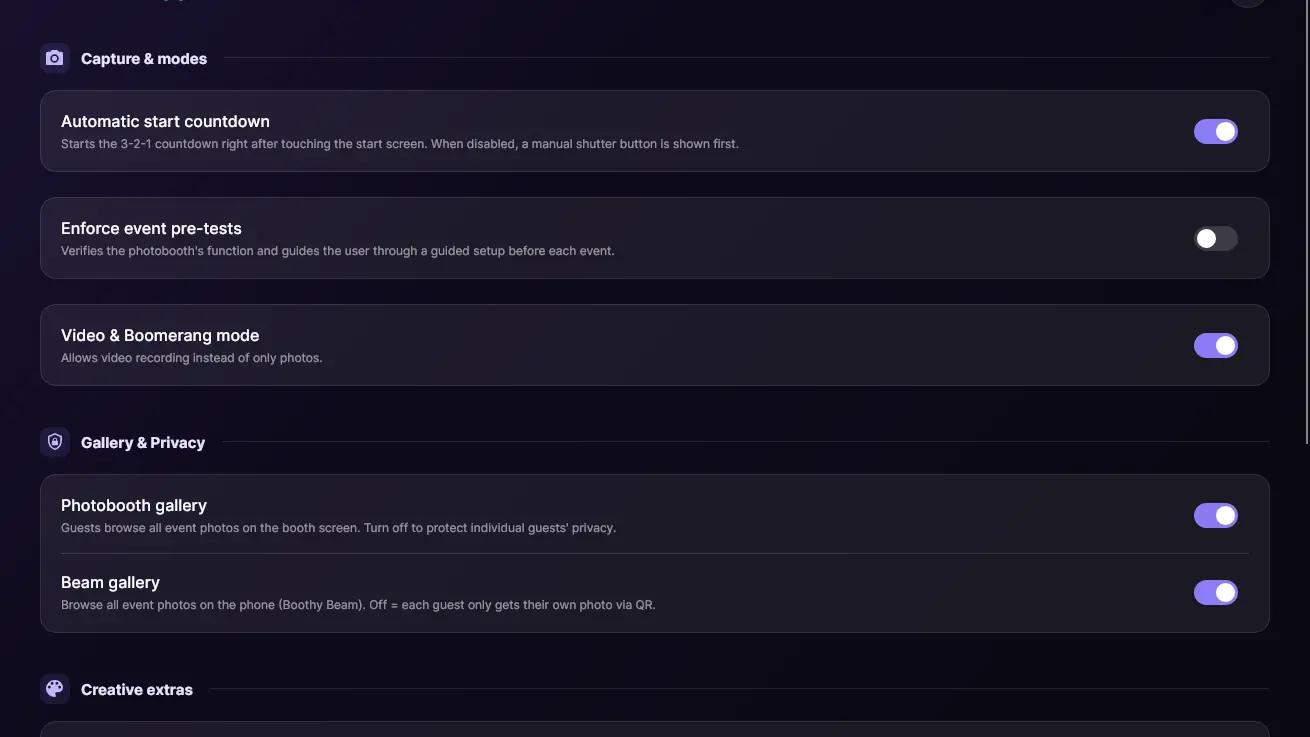
One switch per feature
Drive · Dropbox · Nextcloud
boothy.eu/en/dashboard
Booth is listening
1 of 801/08
For your guests
One tap and go
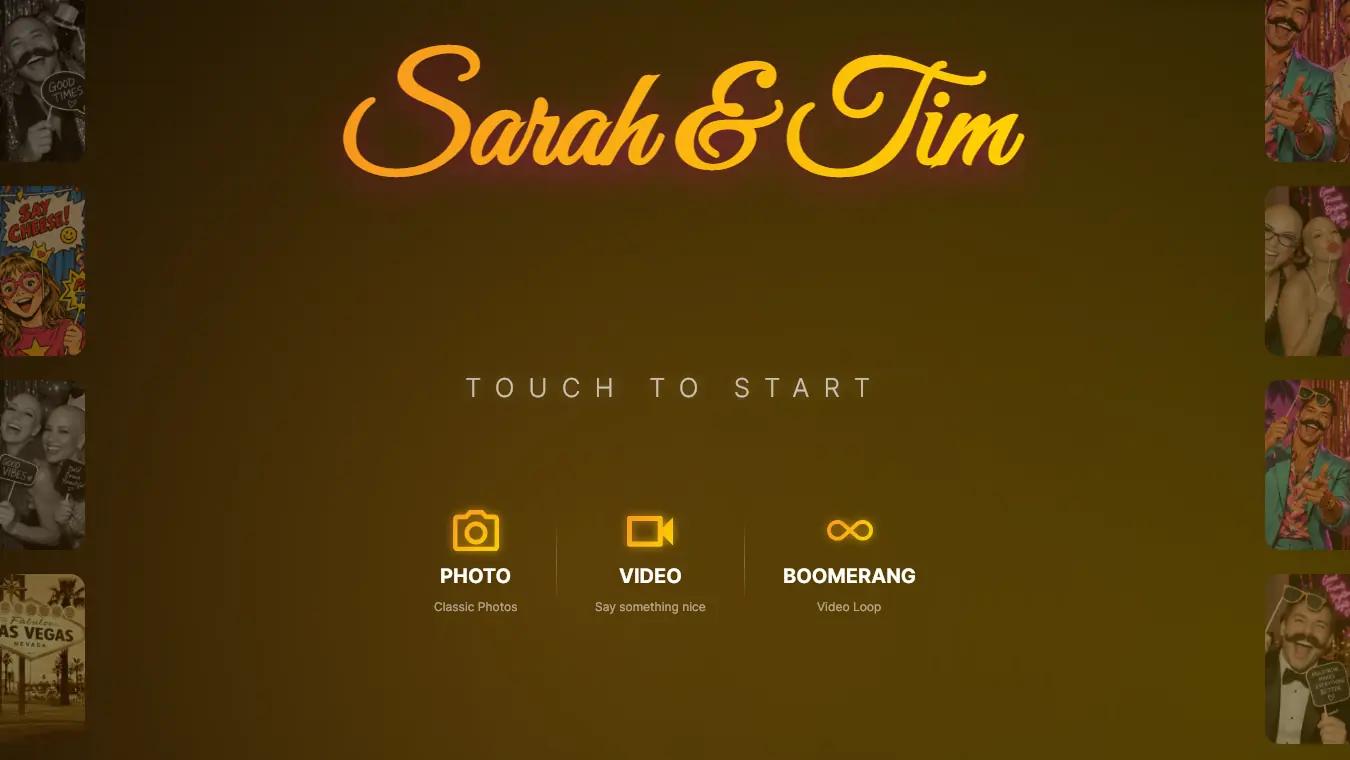
Photo, video or boomerang: guests pick on the start screen – the countdown runs, no instructions needed.
PhotoVideoBoomerang
For your guests
Print it, scan it, take it home
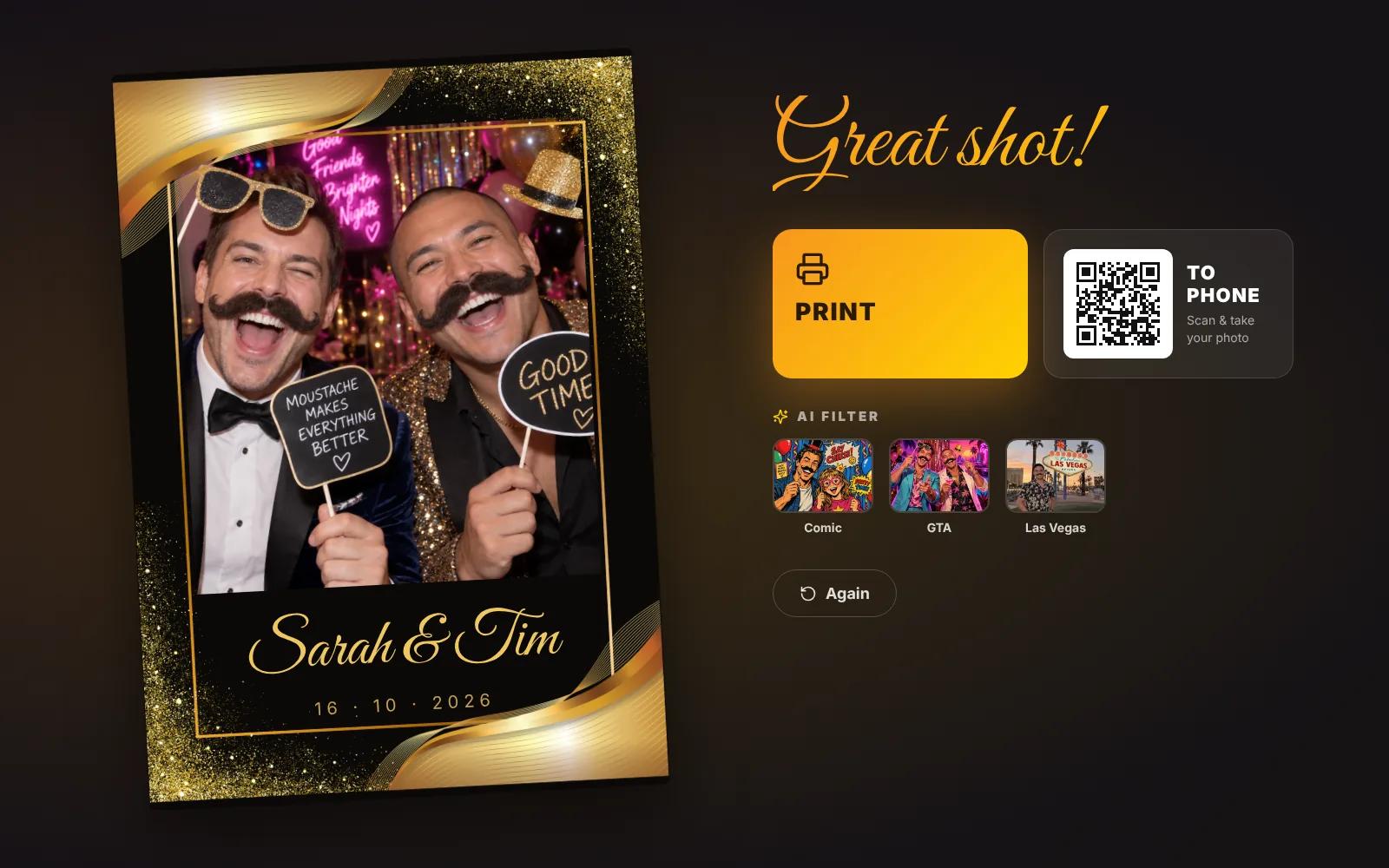
Right after the shot: a print in seconds, a QR code for the phone and AI filters at the tap of a button.
PrintQR codeAI filters
For your guests
The photo booth in your pocket
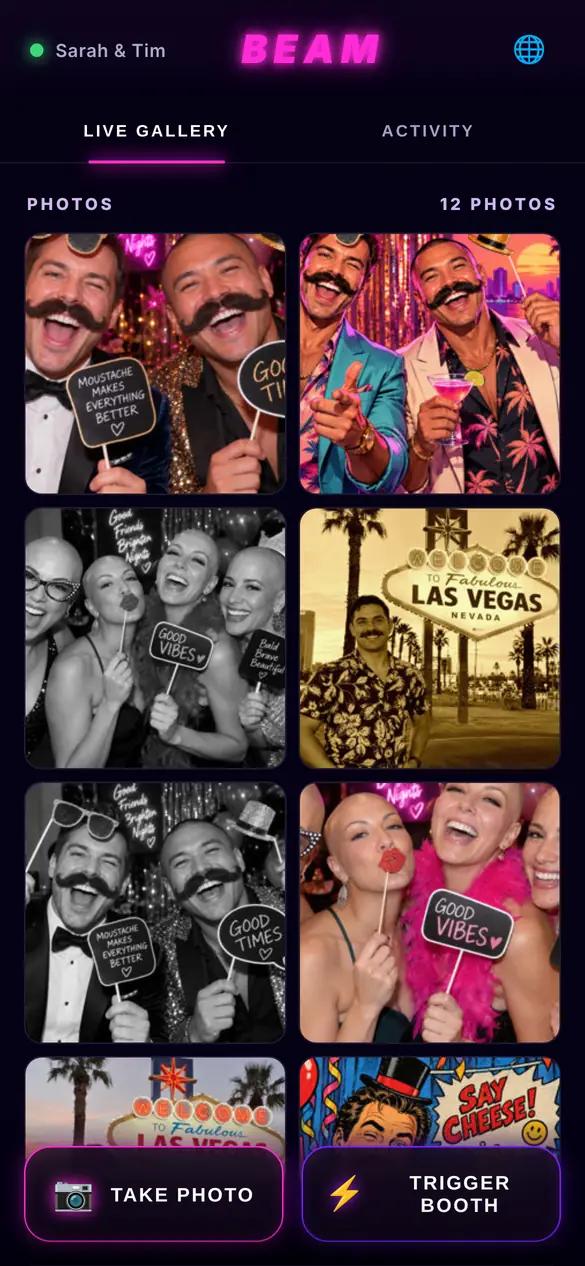
With Boothy Beam guests see every photo live on their phone – including a remote shutter for the group shot.
Live galleryRemote shutterNo app
For your guests
Every photo stays in the game
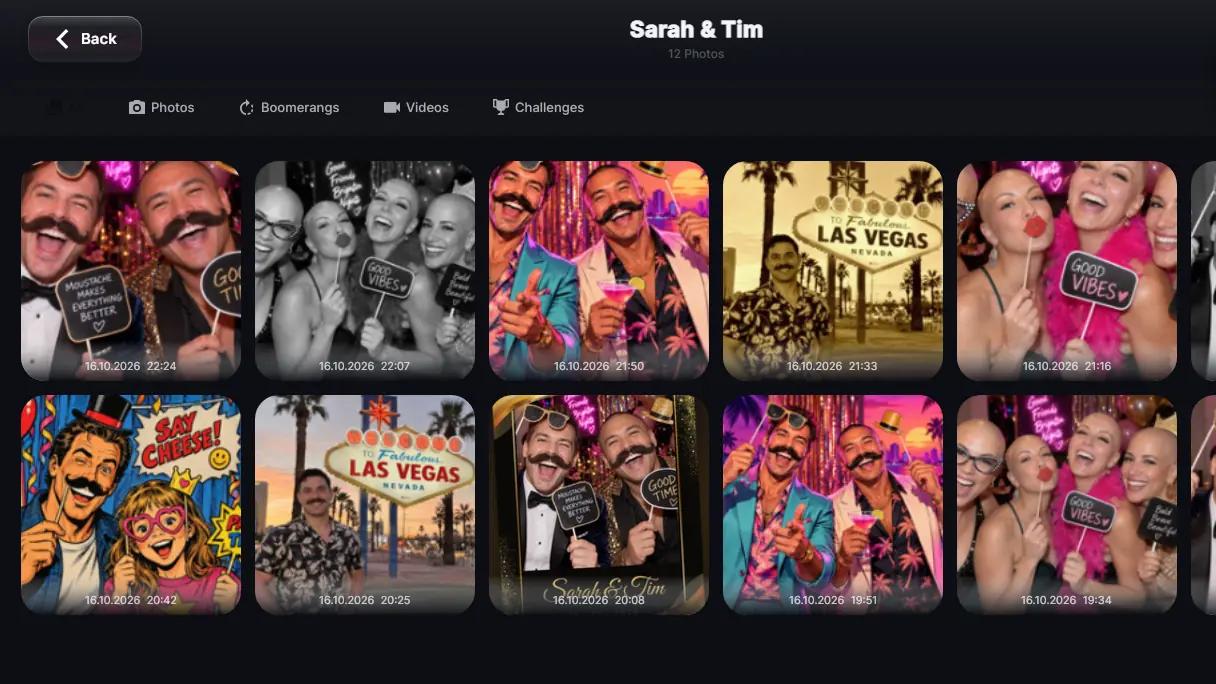
The on-screen gallery and the floating gallery on the start screen bring the night’s photos back – for laughs in the queue.
GalleryFloating galleryScreensaver
For you as the operator
Ready in five steps
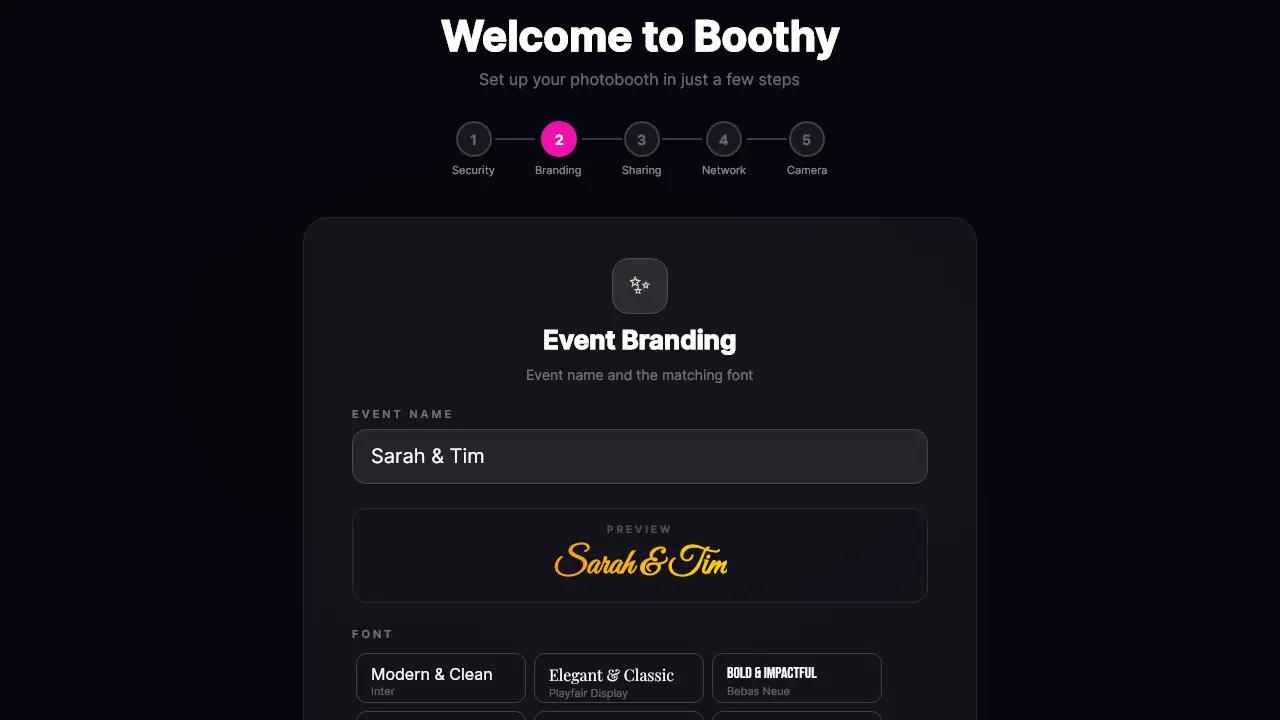
The setup wizard walks you through password, branding, sharing, network and camera – with a live preview.
Under 1 minuteLive preview5 languages
For you as the operator
Your packages, your rules
Video, gallery, stickers or QR code: switch every feature on its own – for rental packages or venues without internet.
Feature togglesRental packagesPer event
For you as the operator
Share every way
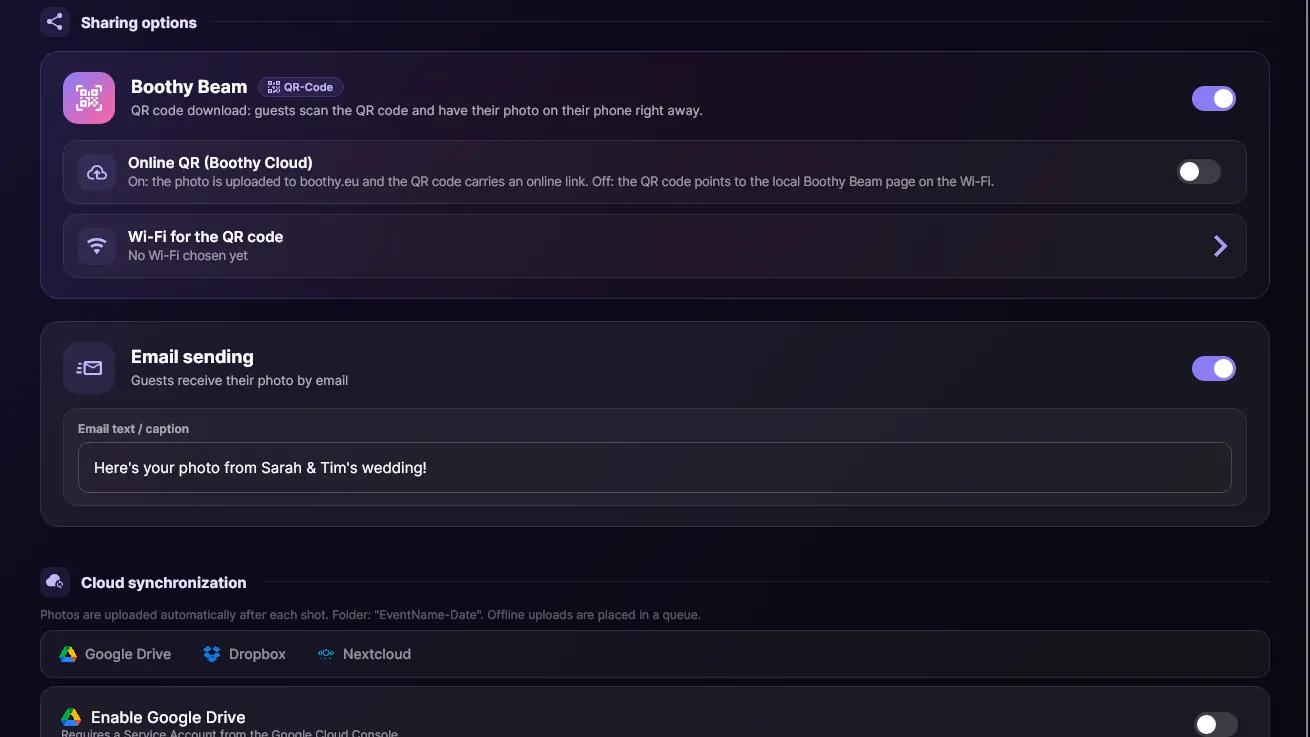
QR code, email or automatic upload to Google Drive, Dropbox and Nextcloud – you decide per event.
QR codeEmailCloud sync
For you as the operator
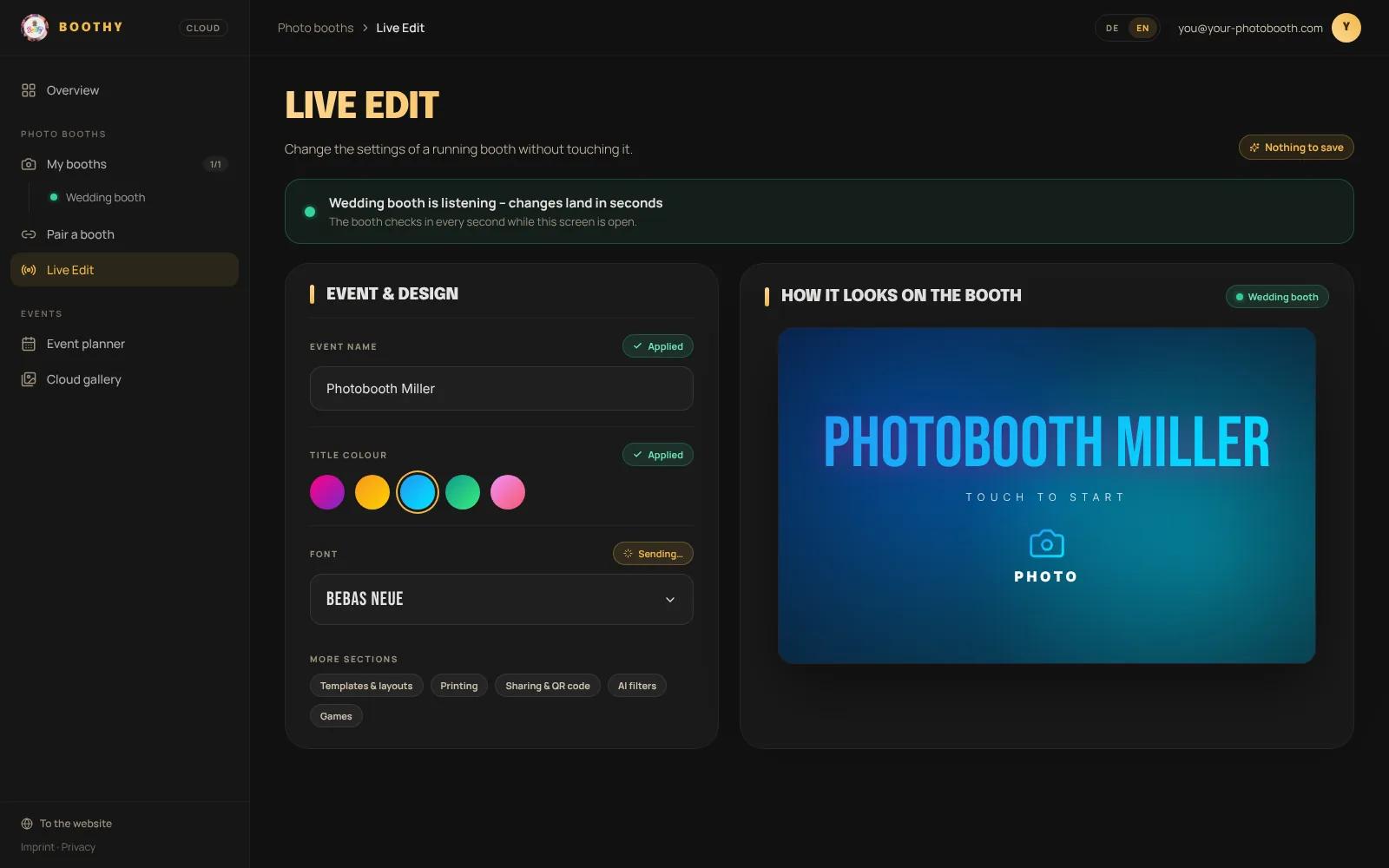
Live Edit from anywhere
In the Boothy Cloud dashboard you change a running booth’s name, colours and font – live within seconds, hands off.
Boothy CloudWithin secondsNo trip
Also on board
Templates & collages4 paper sizes
Filters & stickers12 filters included
Photo booth gamesChallenges, TimeTap, Imposter
Pay2PrintSumUp, Apple & Google Pay
Kiosk modeGuests only see the booth
GDPR compliantMade in Germany
DSLR supportCanon, Nikon, Sony
Works offlineBeam runs on the local Wi-Fi
AI Preview
One photo.
Endless looks.
Your guests pick a style on the booth and get their photo back seconds later — cartoon, moustache, bald, GTA, a different backdrop. Fourteen filters ship with Boothy, and anything beyond them is a sentence you type into the dashboard yourself. There is no fixed list.
90s Cartoon
Moustache Friends
GTA Style
Bald Heads
Backdrop Swap
01
Fourteen filters included
From 90s cartoon and Van Gogh to Cyberpunk, Halloween and background removal — switched on per event, up to eight on the guest screen at a time.
02
Write your own
Give it a name, an emoji and a sentence describing the look. Your filter lands next to the built-in ones on the booth — no update, no waiting.
03
Straight onto the print
The AI version goes into the layout, onto the print and into the cloud gallery — the original stays alongside it.
Walkthrough
Look inside the
dashboard first.
No sign-up, no trial licence: the walkthrough is the customer dashboard itself, filled with sample data. Click every tab, flip every switch — nothing is saved.
Theo walks you through installing Boothy, setting up the camera and starting your first event.
Setting up templates: design your own print layouts
Theo sets up your first photo templates – from slots and logos all the way to the finished print.
Boothy Cloud Dashboard: plan events and share photos
Our tour of Boothy Cloud: plan events in the calendar, prepare configurations and share galleries with your clients.
Zeit zurück gewinnen mit Boothy Dashboard
Mit unserem neuen Dashboard und Eventkalender lässt du deinen Kunden die Events ausfüllen, statt allen Informationen hinterher zu rennen!
Choose your plan
Simple pricing without hidden fees. Scale your business to your needs.
All prices include VAT · Secure payment via Stripe
Frequently Asked Questions
What is Boothy?
Boothy is an all-in-one photo booth software for events. It turns an ordinary Windows PC into a full photo booth: capture photos, videos and boomerangs, print them instantly, send them to guests' phones via QR code, transform them with AI filters and collect everything automatically in a cloud gallery.
The big difference to classic photo booth software is the built-in photo booth games: your guests complete challenges, collect points and appear on a live leaderboard. A single keepsake photo becomes a part of the programme that carries the whole evening.
Boothy is developed in Germany, runs fully offline and suits professional photo booth rental businesses just as well as self-run weddings, birthdays and corporate parties.
What sets Boothy apart from other photo booth software?
Three things above all.
**First, interactivity.** Alongside classic captures, Boothy ships 23 photo challenges, pose challenges with automatic scoring and the two games Imposter and TimeTap. Your guests keep coming back to the booth instead of posing once and moving on.
**Second, Boothy Beam.** Every guest's phone becomes an extra camera and a live gallery via QR code – no app, no install, no account.
**Third, reliability.** Boothy runs fully offline, and every release goes through more than 1,500 automated tests plus a real-world test on actual photo booths. We deliberately do not publish between Thursday and Saturday, so nobody installs a fresh update right before their event.
How much does Boothy cost?
Boothy is freemium: basic operation is free forever and premium features are unlocked with a license. There are day, monthly, yearly and lifetime licenses, plus volume licenses for operators running several booths.
A day license makes sense for that one wedding, a monthly or yearly license for regular rentals, and the lifetime license for everyone who wants to pay once and never think about it again. You will find current prices in our shop.
Can I try Boothy before buying?
Yes, in two ways. The code TRIAL unlocks a free trial with 10 test captures, and you can reset the trial as often as you like. On top of that Boothy is freemium: you can keep using the app for free with a limited feature set and only buy a license once you actually need the premium features.
Which devices and operating systems does Boothy run on?
Boothy runs on any Windows 10 or Windows 11 PC (64-bit) – from a small mini PC inside the booth to a laptop. The minimum is a dual-core 2 GHz processor, 4 GB of RAM and 500 MB of storage; a quad-core, 8 GB of RAM and an SSD are recommended. That turns practically any off-the-shelf computer into a full photo booth.
Technically Boothy is built on .NET and has been ported to macOS and Linux as well. For those systems we cannot yet guarantee that every single feature works in full – we are working on it.
Which cameras does Boothy support?
Boothy controls DSLR and mirrorless cameras from **Canon**, **Nikon** and **Sony** directly – including live view on screen and real shutter release. Alternatively, any standard **USB webcam** works.
That means you can start with cheap hardware and upgrade to DSLR quality later without changing software. One tip for event use: always put a memory card in the camera – the image is then transferred at full quality and you get a backup copy for free.
Which printers does Boothy support?
Essentially any printer installed in Windows with a driver. Our focus is on the classics of photo booth work: DNP, Citizen and Canon Selphy. Photo strips in 2× 5×15 work just as well as classic 10×15 prints – and both can even run side by side through a single print queue.
For strip cutting there is a guided setup wizard, a live print preview and a test strip button, so you know exactly what comes out before the event starts.
Does Boothy work without an internet connection?
Yes. Boothy is built so that an event runs smoothly even in a barn with no signal. Capture, countdown, templates, printing, filters, stickers, the gallery and even the photo booth games including pose scoring work entirely offline.
You only need an internet connection for four things: the one-time license activation, cloud upload, email delivery and the AI filters. If the network drops during the event, Boothy queues the uploads and catches up automatically once the connection is back.
What is gamification in a photo booth?
Gamification turns the photo booth from a vending machine into an event game. Instead of posing once and walking away, your guests get small tasks: "take a photo with the newlyweds", "find someone you had not met before tonight", "recreate a movie scene". Every completed challenge earns points, and whoever leads is visible on the leaderboard all evening.
Boothy ships with 23 ready-made challenges you can freely adapt. On top of that there are pose challenges, where the booth shows a target pose and scores the result automatically from 0 to 100 – running directly on the device, with no internet needed.
The effect is always the same: more photos, more group shots, more guests talking to each other – and a booth that gets used all night instead of just in the first hour.
What is Boothy Beam?
Boothy Beam turns every guest's phone into part of the booth. Guests scan a QR code and open a mobile-optimised web interface – **no app, no install, no account**.
There they can follow the event gallery live, save their photo instantly, contribute additional shots from their own phone to the shared gallery and even trigger the booth remotely.
The result: not just more pictures, but perspectives a fixed booth never captures – snapshots at the table, moments on the dance floor, spontaneous group shots. For venues with isolated guest Wi-Fi there is also an online QR code served through the Boothy Cloud.
Does Boothy have AI filters?
Yes. After the capture your guests can transform their photo with an AI style – 13 styles are available today, among them **Van Gogh**, **oil painting**, **cyberpunk**, **film look**, **superhero**, **8-bit**, **lo-fi vaporwave**, **90s cartoon**, **Halloween** and a GTA illustration style. On top of that there is automatic background removal to cut people out and place them on a colour or an image of your choice.
You can also create **your own AI filters**: describe in one sentence how the image should change and Boothy builds your individual style from it – right at the booth or comfortably in the cloud dashboard.
Good to know: your template survives. The AI only replaces the photo inside the slot while the background, logos and text of your layout stay untouched. On photo strips you even decide per slot which shot gets transformed.
Can I design my own photo templates and print layouts?
Yes, and completely freely. The template editor gives you layers, text fields, logos, frames, rotation, outline and shadow effects, and a paper format per template (5×15, 10×15, 13×18 or 15×20). You can even offer your guests several templates to choose from before the photo is taken.
Templates can be designed comfortably on your computer in the Boothy Cloud dashboard and are transferred to the booth one to one – what you see in the preview is what the booth prints.
Can I run Boothy with my own branding?
Yes, Boothy is fully white-label capable. Colours, fonts, title effects, background images, logos and every print template can be designed freely – including animated GIFs as a background or logo.
In the live editor you simply drag the start screen elements into place with your finger and see every change immediately on the real screen. That way your booth carries your brand – or your client's, be it a company logo at a corporate party or the couple's monogram at a wedding.
How quickly is a photo booth set up with Boothy?
On first launch a five-step wizard walks you through language, event name, design, camera and sharing options in a few minutes. After that Boothy starts straight into kiosk mode – the full-screen view your guests see.
In day-to-day use it is even faster: you plan the event in the cloud dashboard in advance and the booth fetches the matching configuration itself on start-up. Wedding on Saturday, birthday on Sunday – you drive from one venue to the next, tap "load template" and the booth is configured.
Before your first guest, the event start checkup works through a checklist: camera test, shutter test, print test and Beam test – like a pre-flight list in a cockpit.
Can I charge per photo with Boothy?
Yes – with **Pay2Print** your booth becomes a paid kiosk, ideal for fairs, city festivals, markets and trade shows. Guests pay per photo before the shutter fires, with no staff needed at the booth.
Payment runs either through a **SumUp card terminal** or a verified **payment QR code** via Stripe or Mollie. The shutter only fires once the payment is confirmed – no trust-based workflow, no free shots.
You set the price, currency and VAT yourself, with a live preview of the net/gross split. You can offer prints and digital QR downloads at different prices and sell AI processing as an upsell. An automatic email reminds you in time to refill paper and ribbon.
Can I use Boothy commercially as a photo booth rental business?
Yes. Boothy is explicitly built for commercial use and is used daily by photo booth rental businesses at weddings, corporate events and trade shows. Just mind the license count, meaning the number of devices you run Boothy on.
If you operate several booths, our volume licenses are the most economical option. The cloud dashboard lets you manage all events and configurations from one place.
Is my license valid permanently?
That depends on the option you choose. A lifetime license is valid permanently with no follow-up costs. Day, monthly and yearly licenses run for their respective period.
A purchased license keeps working offline – activation needs the internet once, after that your booth runs even in a barn with no signal.
Where are my photos stored and is Boothy GDPR-compliant?
Your photos always live locally on the device first – the booth works entirely without the cloud. If you use Boothy Cloud, images are processed exclusively on servers inside the European Union; our cloud services run in Germany and transfers are encrypted via TLS.
Cloud photos are **automatically and irreversibly deleted after 30 days at most**. Gamification profile photos also have a configurable retention period, 30 days by default.
Important for operators: at your event, **you** are the data controller towards your guests. Boothy hands you the tools for that – a freely configurable privacy notice on the start screen, for example, and the option to disable the gallery separately for the booth and for guest phones. We also recommend a clearly visible notice at the device.
Which languages does the booth speak?
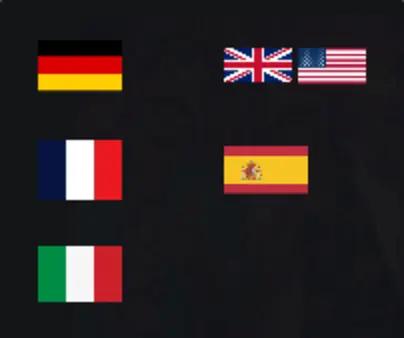
The guest interface is available in **German, English, French, Spanish and Italian**. Guests pick their language right on the start screen, and the last choice is remembered for the next start.
The entire admin area is translated too – and can be set independently of the guest language. So you can run the booth in English while configuring it in German. The event summary report can also be produced in five languages.
What happens if I run into technical problems?
We are there for you by email and through our help center. What we cannot offer is live support during your running event.
To make sure it does not come to that, we built in safeguards: the event start checkup walks through a checklist for camera, shutter, printing and sharing before your first guest arrives, and the software reports errors to us automatically and in a privacy-compliant way, so we often know about a problem before you report it.
Testimonials
What our
customers say.
Huge potential
“The photo booth software has pleasantly surprised me. At first the feature set was still quite basic, which was particularly noticeable compared to established solutions. That changed quickly.
Development moves at a noticeably rapid pace. New features are added frequently, existing functions are improved and stability keeps getting better. It is clear that active and focused development is happening here.
The software has now reached a level that is not far behind the major providers. If this pace is maintained, it is realistic to expect it to catch up completely in the near future.
Conclusion: not perfect yet, but with strong momentum. Anyone looking for a modern, rapidly evolving solution is in good hands here.
(Translated from German.)”
MA
Maxilian
Awesome concept
“I only recently started renting out photo booths and was debating whether to go with one of the big established products. Then I decided to give Boothy a try, and I am so glad I did. The software is simply amazing: setup is super fast, it is incredibly stable and it hardly ever crashes.
Boothy takes a lot of the tedious configuration work off your hands that other software still demands. New updates and improvements are released all the time. I even sent the owner a feature request once and he implemented it in no time. I am absolutely convinced.
(Translated from German.)”
KY
Kerem Yilmaz
Finally a real alternative
“I have actually been working with photo booths for quite a while now. Apart from the big, well-known manufacturers there really is not much choice when it comes to building a high-quality photo booth.
Plenty of companies sell booths or iPads, but their software only offers a limited range of features. That quickly forces you to go all in with one of the big names.
With Boothy I finally have a real alternative:
1. A refreshingly modern user interface that looks current and feels genuinely well made.
2. Gamification features that have already earned me positive feedback at several parties.
I am completely satisfied.
(Translated from German.)”
FT
Frank Teichert
Ready for the next level?
Join the Boothy family and revolutionize your photo booth business today.